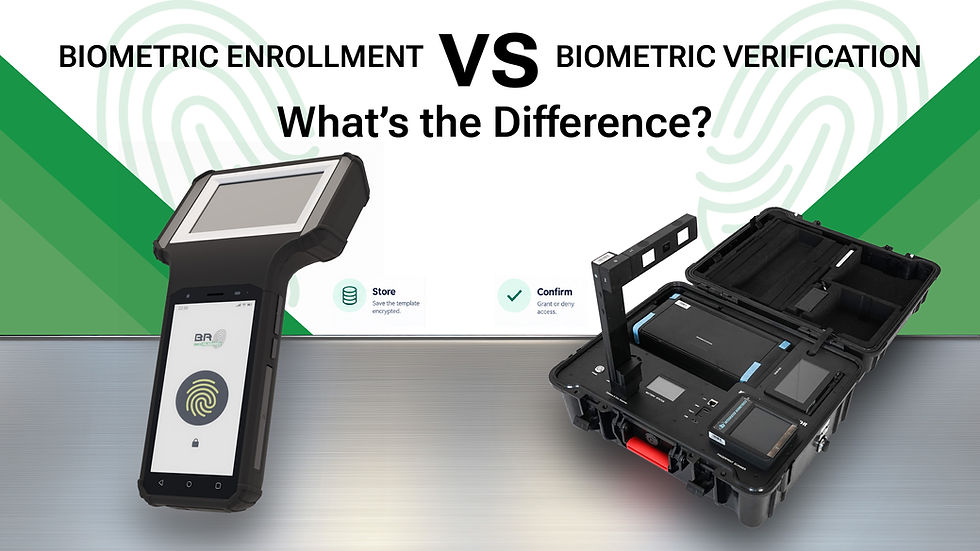
Inside a Mobile Biometric Enrollment Kit: What Does Each Component Do?
Reliable identity registration requires more than a fingerprint scanner. In national ID programmes, voter registration, civil registration, and other identity projects, field teams need a complete solution that can capture biometric and biographic data accurately, operate in different environments, and support efficient enrollment.

A mobile biometric enrollment kit brings essential enrollment technologies together in a portable system. Depending on the configuration, it can include fingerprint scanners, iris cameras, facial image capture, document readers, signature pads, a computer, and a power system.
But what does each component do, and why does it matter?
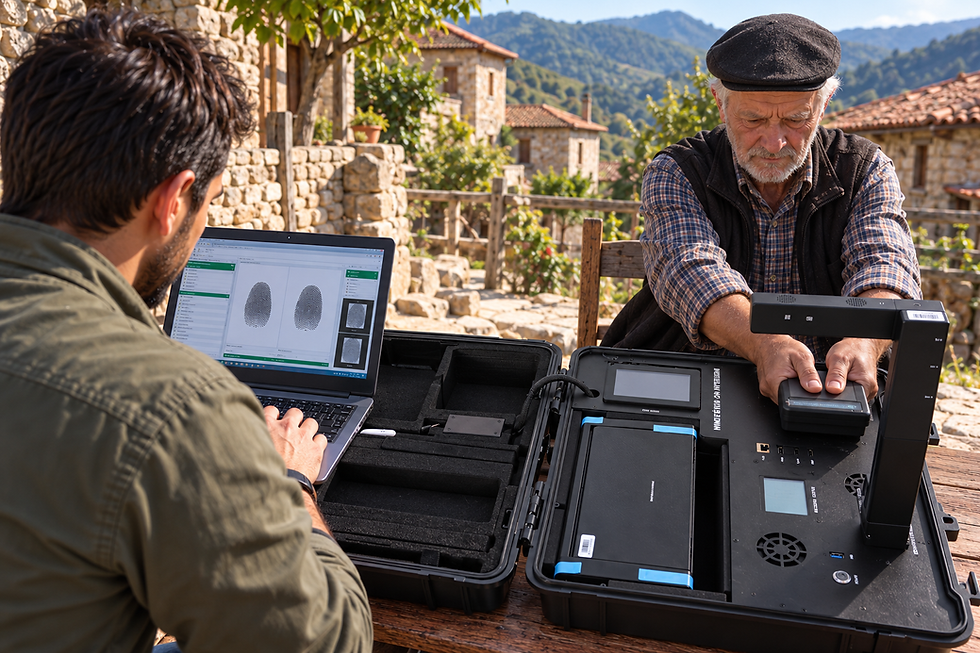
1. Fingerprint Scanner: Capturing Fingerprint Data
Fingerprint recognition is widely used in identity programmes because fingerprints provide a practical way to establish and verify identity.
A biometric enrollment kit may include a fingerprint scanner capable of capturing individual fingerprints, multiple fingers, or flat and rolled fingerprints, depending on the project requirements and scanner configuration.
The quality of fingerprint capture is important. Clear, usable images can help reduce repeated captures and support more reliable downstream biometric processing.
For government identity programmes and large-scale enrollment projects, the scanner should be selected according to the required capture method, applicable standards, and operational environment.

2. Iris Camera: Capturing Iris Biometrics
Iris recognition uses the distinctive patterns in the coloured part of the eye to support biometric identification.
When included in an enrollment kit, an iris camera captures images of the applicant’s eyes for processing by the relevant biometric software. Iris capture can be valuable in programmes that require multiple biometric modalities or additional options for identity matching.
The camera, illumination, positioning, and capture workflow must work together to help operators obtain suitable images.
Not every enrollment project requires iris recognition. The choice depends on programme specifications, the intended population, and the biometric system being deployed.

3. Facial Camera: Recording a Facial Image
Facial image capture is another common part of identity enrollment. A camera records an image of the applicant’s face according to the programme’s image-capture requirements.
Facial images can be used for identity records, visual identification, and facial recognition workflows when supported by the wider system.
A dedicated camera may be integrated into the enrollment kit, or the system may use a camera built into the device. The appropriate option depends on the required image quality, positioning, lighting conditions, and application.

4. Document Reader: Reading Identity Documents
Enrollment operators may need to collect information from passports, national identity cards, or other official documents.
A document reader can help capture information from supported documents, reducing the need for manual data entry. Depending on the reader and document type, the system may read machine-readable zones (MRZ), scan document images, or support electronic document reading.
The specific capabilities depend on the reader installed and the documents supported by the enrollment application.
Integrating document reading into the enrollment workflow can help operators collect information more consistently and reduce transcription errors.

5. Signature Pad: Capturing Electronic Signatures
Some enrollment programmes require an applicant’s electronic signature as part of the registration process.
A signature pad allows the applicant to sign directly on a dedicated surface. The signature can then be collected by the enrollment application and associated with the appropriate record, where required by the programme.
Including a signature pad in the kit helps bring another registration step into one workstation, rather than requiring a separate device.

6. Computer and Enrollment Software: Bringing the Components Together
Biometric sensors capture the data, but a computer and compatible enrollment software coordinate the process.
The computing platform runs the enrollment application, manages connected peripherals, and supports the collection of biographic information and biometric data. It may also help operators review captures, follow registration steps, and transfer records according to the system’s requirements.
Compatibility is essential. The computer, operating system, drivers, peripheral interfaces, and enrollment software must work together as intended.
For programmes using a particular identity platform or technical framework, hardware selection should take account of the integration requirements defined by the project and its implementation partners.

7. Display and Operator Interface: Making Enrollment Practical
A display gives the operator access to the enrollment application, instructions, status messages, and captured information.
Depending on the kit design, the interface may include a built-in screen, an external monitor, or additional displays for specific workflows.
A well-planned operator interface can make it easier to follow enrollment procedures, check capture quality, and guide applicants through the process.
Some configurations may also include a separate applicant-facing screen, allowing applicants to view instructions or relevant information during registration.

8. Power System: Supporting Field Operations
Mobile enrollment often takes place outside conventional office environments. A suitable power system is therefore an important part of the kit.
Depending on the design, a kit may use an integrated battery, replaceable batteries, an external power supply, or a combination of power options.
When planning a deployment, consider battery capacity, charging requirements, operating time, and the power consumption of connected peripherals.
For extended field operations, teams should also consider charging arrangements, spare batteries where supported, and access to backup power.

9. Protective Case and Portability: Moving the System Between Locations
A mobile biometric enrollment kit must be practical to transport, deploy, and pack away.
A rugged carrying case can protect equipment during transportation and help keep components organised. Custom foam inserts and dedicated mounting positions can make it easier for operators to identify, access, and return equipment to its designated place.
The case design should account for the dimensions of the installed hardware, cable routing, ventilation, and the practical needs of the enrollment workflow.
For deployments in remote locations or demanding field environments, portability and physical protection are important parts of the overall system design.

10. Connectivity: Transferring Enrollment Data
Once information has been captured, it may need to be transferred to a central system or synchronised with an enrollment platform.
Depending on the configuration and project requirements, connectivity may include Ethernet, Wi-Fi, cellular connectivity, or USB connections to peripherals.
Some deployments require a reliable network connection during registration, while others may support offline data collection followed by later synchronisation. Offline operation depends on the capabilities and security design of the enrollment software, not simply on the hardware.
Connectivity should therefore be planned around the deployment location, data-transfer requirements, and the architecture of the wider identity system.
One Kit, Multiple Enrollment Requirements
Not every biometric enrollment programme requires the same equipment. A national ID project may need a different configuration from voter registration, civil registration, border-related applications, or mobile public services.
A modular enrollment kit makes it possible to select components according to the intended workflow. Depending on the model and configuration, a system may combine fingerprint capture, iris recognition, facial imaging, document reading, signature capture, computing, and printing capabilities.
BioRugged’s Mark series is designed for biometric enrollment applications where hardware configuration needs to match operational requirements. The components available depend on the selected model and project specification.
The objective is to bring the necessary equipment into a coordinated system that supports field teams without adding unnecessary complexity.
Choosing the Right Mobile Biometric Enrollment Kit
Before selecting a kit, project teams should consider several questions:
Which biometrics are required? Identify whether the programme needs fingerprints, iris images, facial images, or a combination.
Which documents must be supported? Confirm document-reader requirements and the types of identity documents used.
Where will enrollment take place? Consider transportation, environmental conditions, available workspace, and power access.
Which software and standards apply? Confirm operating-system compatibility, peripheral integration, technical standards, and the requirements of the wider identity platform.
How will data be transferred? Establish connectivity, offline-operation, security, and synchronisation requirements.
Can the system be configured for the workflow? Check that the selected hardware includes the necessary components and interfaces.
Answering these questions early can help project teams specify a solution that meets operational needs and avoids paying for components that are not required.
Bringing Biometric Enrollment to the Field
A mobile biometric enrollment kit is more than a collection of sensors. It is a coordinated hardware system in which biometric capture devices, document readers, computing, power, connectivity, and physical design all contribute to the enrollment process.
Selecting the right configuration starts with understanding the programme’s requirements and ensuring that each component works with the wider enrollment system.
BioRugged provides rugged biometric hardware solutions, including configurable enrollment kits from its Mark series, to support identity registration in different operational environments.
Planning a biometric enrollment deployment?
Contact BioRugged to discuss your hardware requirements and explore a configuration suited to your project.
Request a demo: https://www.biorugged.com/#contact
BioRugged — Biometric Hardware Solutions.