What Is an MRZ Reader and Why Is It Important for Identity Verification?
Modern identity verification often starts with a simple question: Who is this person, and can their identity document be trusted?
Passports, national ID cards, visas, and other travel documents contain machine-readable information that allows identity systems to capture document data quickly and accurately.
One of the most common technologies used for this is the MRZ reader.

What Is an MRZ?
MRZ stands for Machine Readable Zone.
It is the standardized section of a passport or identity document containing information that can be read automatically by an optical reader.
On a standard passport, the MRZ is usually the two or three lines of characters located at the bottom of the biographical page.
The information can include:
Document type
Issuing country
Document number
Name
Nationality
Date of birth
Sex
Expiration date
Check digits
The format is standardized internationally, making it possible for different identity systems to interpret the information consistently.
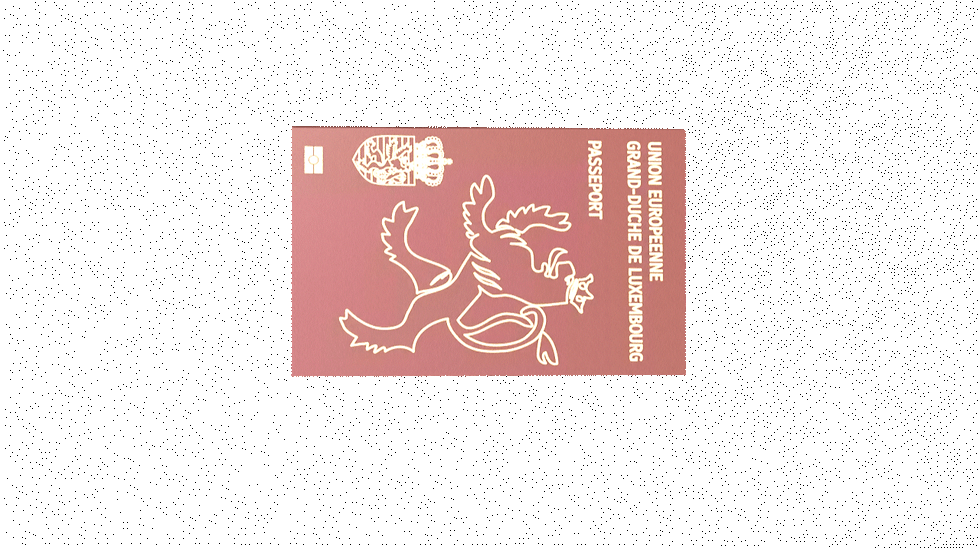
What Is an MRZ Reader?
An MRZ reader is a device that uses optical technology to capture and interpret the machine-readable zone on an identity document.
Instead of an operator manually entering passport or ID information, the reader scans the MRZ and automatically extracts the relevant data.
This can make document processing:
Faster
More accurate
Easier for operators
Less dependent on manual data entry
MRZ readers are therefore commonly used wherever identity documents need to be processed quickly and consistently.
How Does an MRZ Reader Work?
The process is relatively straightforward.
1. The document is presented
The applicant places a passport or compatible identity document in front of the reader.
2. The MRZ is captured
An optical camera or scanner captures the machine-readable characters.
3. The information is decoded
The system interprets the characters according to the applicable document standard.
4. The data is transferred
The extracted information can then be passed to the identity enrollment or verification software.
5. Additional verification can take place
Depending on the system, the information can be checked against the document's electronic chip, databases, or other biometric information.
This creates a much faster workflow than manually typing document information.

MRZ vs NFC: What's the Difference?
MRZ and NFC are often used together, but they perform different functions.
MRZ is optical.
The reader scans the printed machine-readable information on the document.
NFC is electronic.
An NFC reader communicates wirelessly with the contactless chip embedded in compatible passports and identity documents.
For example, an ePassport may contain:
Printed MRZ → Optical reading
and
Electronic chip → NFC reading
Using both technologies can provide a more complete document-processing workflow.
Why Is MRZ Important for Identity Verification?
Manual data entry creates opportunities for mistakes.
A passport number, date of birth, or name entered incorrectly can result in delays or failed verification.
MRZ reading automates this part of the process.
For identity systems processing large numbers of people, even small improvements in processing time and accuracy can have a significant operational impact.
MRZ technology is particularly useful for:
Passport enrollment
Border control
Immigration
National ID programs
Civil registration
Airport security
Hotel and visitor management
Banking and KYC
Law enforcement

MRZ in Border Control
Border environments require fast and reliable document processing.
An officer may need to process hundreds or thousands of travelers while checking passports and other identity documents.
An MRZ reader can automatically capture the document information and pass it to the border-control system.
When combined with facial recognition, fingerprint verification, NFC, and document authentication, MRZ reading becomes part of a broader identity verification workflow.

MRZ in Biometric Enrollment
MRZ readers are also valuable during biometric enrollment.
An operator may need to register a person's:
Personal information
Passport or ID information
Face
Fingerprints
Other biometric data
Instead of manually typing information from the document, the MRZ can provide the basic identity information electronically.
This allows the operator to focus on the enrollment process rather than data entry.
Integrated MRZ Readers vs External Readers
MRZ readers can be deployed as standalone peripherals or integrated directly into biometric hardware.
An external reader can be useful when an organization already has a fixed workstation and wants to add document-reading functionality.
However, integrated MRZ readers can provide advantages for mobile and compact deployments.
Instead of carrying:
Tablet + MRZ reader + cables + power supply
an integrated solution can combine the required technologies into a single platform.
This can be particularly useful for mobile enrollment, border operations, and field verification.
BioRugged Devices With MRZ Capabilities
BioRugged offers several biometric platforms that can incorporate MRZ reading into identity workflows.

Marque 5.1
The Marque 5.1 is an all-in-one biometric platform designed to combine multiple identity technologies in a compact workstation.
Depending on configuration, it can support document scanning, fingerprint capture, facial image capture, card reading, and an optional MRZ reader.
This makes it suitable for applications such as passport enrollment, national ID, civil registration, eKYC, and border-related deployments.

BioWolf DEZ
The BioWolf DEZ brings MRZ reading into a rugged mobile identity platform.
It combines biometric and identity-document capabilities in a portable device, making it suitable for field identity verification, law enforcement, border operations, and mobile enrollment.

BioWolf Cinco
The BioWolf Cinco is another rugged platform that can be configured with an optical MRZ reader and NFC capability.
This combination allows operators to work with both the printed machine-readable information and contactless electronic information contained in compatible identity documents.
Why Combine MRZ With Biometrics?
MRZ information tells the system what information is printed on the document.
Biometrics help establish who is presenting the document.
Combining the two creates a stronger identity workflow.
For example:
Passport → MRZ → Personal data
Passport → NFC → Electronic document data
Person → Face/Fingerprint → Biometric identity
The system can then compare these different sources of information as part of the verification process.
Frequently Asked Questions
What does MRZ stand for?
MRZ stands for Machine Readable Zone. It is the standardized area of an identity document containing information designed to be read automatically.
Can an MRZ reader read a passport?
Yes. MRZ readers are commonly used to read the machine-readable zone on passports and other compatible travel and identity documents.
Is MRZ the same as NFC?
No. MRZ is read optically from the printed document, while NFC communicates with the electronic chip inside compatible documents.
Do all ID cards have an MRZ?
No. MRZ formats depend on the type and standard of the document. Some identity cards and travel documents include an MRZ, while others may rely on different technologies.
Why use an MRZ reader instead of manually entering passport information?
It reduces manual data entry and can make document processing faster and more consistent, particularly when processing large numbers of people.
Conclusion
An MRZ reader may appear to be a small component of a biometric system, but it plays an important role in modern identity workflows.
By automatically reading information from passports and other machine-readable documents, MRZ technology can reduce manual data entry and support faster identity enrollment and verification.
When combined with NFC, fingerprint, facial recognition, iris recognition, and document authentication, MRZ reading becomes part of a complete identity verification solution.
For governments, system integrators, border authorities, and organizations processing identity documents, choosing hardware that integrates these technologies can simplify deployment while creating a more efficient enrollment and verification experience.